

Hey there! I'm part of an Automation Sheet Metal supplier, and today I wanna chat about the software used for automation in sheet metal design. It's a super important topic, especially in our line of work where efficiency and precision are key.
Let's kick things off by understanding why automation in sheet metal design is such a big deal. In the world of sheet metal processing, time is money. Manually designing sheet metal parts can be a real pain - it's time - consuming, and there's always a risk of human error. That's where automation software steps in. It can speed up the design process, reduce errors, and ultimately save a ton of resources.
One of the most popular software options out there is SolidWorks. SolidWorks is like a Swiss Army knife for sheet metal design. It's got a user - friendly interface that even beginners can get the hang of quickly. With SolidWorks, you can create 3D models of sheet metal parts with ease. It allows you to define features like bends, cuts, and holes right within the software. You can also simulate how the sheet metal will behave during the manufacturing process, which is super useful for predicting any potential issues.
For example, let's say you're designing a complex enclosure for an electronic device. With SolidWorks, you can design all the panels, add the necessary cutouts for connectors and switches, and then see how the parts will fit together. It also has a library of standard sheet metal materials, so you can select the right one for your project. And the best part? It integrates well with other manufacturing software, which means you can easily transfer your design to the production floor.
Another great software is AutoCAD. AutoCAD has been around for ages and is well - known in the engineering and design world. While it's not specifically designed for sheet metal, it's incredibly versatile. You can create 2D and 3D drawings of sheet metal parts with high precision. AutoCAD has a wide range of tools for creating accurate geometries, which is crucial in sheet metal design.
For instance, if you're working on a project that requires a lot of custom - shaped parts, AutoCAD's drafting tools can help you create detailed and accurate designs. You can also use AutoCAD to generate technical drawings with dimensions and tolerances, which are essential for the manufacturing process. It's also compatible with a lot of other software, so you can easily share your designs with other team members or suppliers.
Now, let's talk about Inventor. Inventor is a powerful 3D CAD software developed by Autodesk. It's specifically designed for mechanical design, including sheet metal design. Inventor has a set of dedicated tools for sheet metal design, such as bend allowance calculations and flat pattern generation.
Imagine you're designing a series of brackets for a piece of industrial equipment. With Inventor, you can quickly create the 3D models of the brackets, define the bends and folds, and then generate the flat patterns that can be used for cutting the sheet metal. It also has advanced simulation capabilities, which can help you analyze the strength and durability of your designs. This is important because sheet metal parts need to be able to withstand the stresses they'll face in real - world applications.
When it comes to automation in sheet metal design, CAM software also plays a crucial role. CAM (Computer - Aided Manufacturing) software takes your design and translates it into instructions for the manufacturing machines. One of the popular CAM software options for sheet metal is Mastercam.

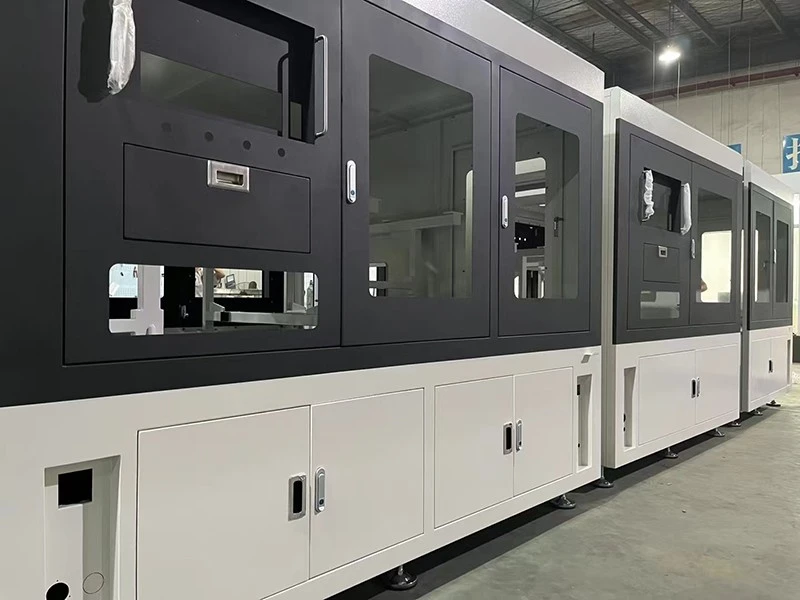
Mastercam can work with the designs created in SolidWorks, AutoCAD, or Inventor. It can generate toolpaths for laser cutting, punching, and bending machines. For example, if you're using a laser cutter to cut out the sheet metal parts, Mastercam can calculate the best path for the laser to follow to minimize waste and ensure a clean cut. It also allows you to optimize the nesting of parts on the sheet metal, which can save a lot of material.
In addition to these well - known software, there are also some specialized sheet metal design software. For example, SheetWorks is a software that focuses specifically on sheet metal design and unfolding. It can handle complex geometries and generate accurate flat patterns quickly. It's also very easy to use, even for those who are new to sheet metal design.
Now, as an Automation Sheet Metal supplier, we've seen firsthand the benefits of using these software. They've allowed us to improve our design process, reduce lead times, and offer high - quality products to our customers. Whether you're a small business looking to design a few custom sheet metal parts or a large corporation with high - volume production needs, the right software can make a huge difference.
If you're in the market for sheet metal products, we're here to help. We use the latest software and technology to ensure that our products meet your exact specifications. Whether it's Sheet Metal Stamping or Mirror Sheet Metal Processing, we've got the expertise and the tools to get the job done right. And of course, our specialty is Automation Sheet Metal, where we use automation to streamline the production process and offer cost - effective solutions.
If you're interested in learning more about our products or have a project in mind, don't hesitate to reach out. We're always happy to have a chat and discuss how we can meet your sheet metal needs. Let's work together to bring your ideas to life!
References:
- SolidWorks official documentation
- AutoCAD user guides
- Inventor product manuals
- Mastercam technical resources
- SheetWorks product information


